Why Arduino Is the Best Way to Start with Robotics
If you're new to robotics and electronics, Arduino is the perfect starting point. It's affordable, well-documented, and has a massive community of makers who share projects and tutorials.
Unlike more advanced platforms like Raspberry Pi, Arduino focuses on one thing: controlling electronics. This makes it much easier to learn the fundamentals without getting overwhelmed.
What to Look for in an Arduino Starter Kit
Before buying, consider these factors:
1. Board Quality
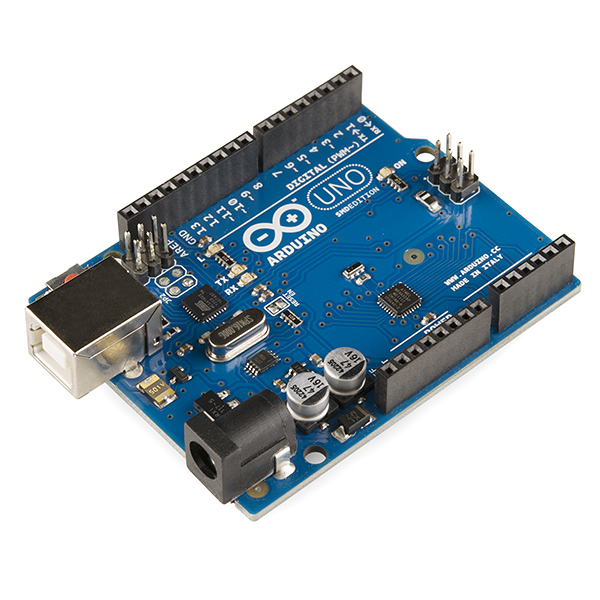
Make sure the kit includes a genuine Arduino Uno R3 or a high-quality compatible board. Cheap clones can cause frustrating connection issues.
2. Component Variety
A good starter kit should include:
3. Documentation
The best kits come with step-by-step project guides. This is crucial for beginners — without good instructions, you'll spend hours troubleshooting instead of learning.
4. Number of Projects
Look for kits that offer 10+ guided projects. This gives you enough variety to learn different concepts like digital input/output, analog sensors, PWM, and serial communication.
Our Top Pick: Arduino Official Starter Kit
The official Arduino Starter Kit remains the gold standard for beginners in 2026. Here's why:
The project book walks you through increasingly complex builds, from blinking an LED to building a small keyboard instrument. Each project teaches a new concept.
Getting Started: Your First Project
Once you have your kit, here's what to build first:
Blink an LED (10 minutes)
This is the "Hello World" of electronics:
It sounds simple, but this project teaches you:
Read a Sensor (20 minutes)
Next, connect a temperature sensor and read the values:
Now you're reading data from the real world — that's the foundation of robotics!
What to Build After the Starter Kit
Once you've completed the starter projects, you're ready for:
Conclusion
The Arduino Starter Kit is the best investment you can make if you're serious about learning robotics. For under €80, you get everything you need to build 15+ projects and develop skills that transfer directly to more advanced platforms.
Ready to start? Check out our recommended Arduino Starter Kit and begin your robotics journey today.